Audit Resourcing
The problem
Customer needs & requirements
The development of our Audit Planning feature was an MVP. An additional feature to enhance this further was the inclusion of a resourcing function. This would allow users to create, manage, and also add resource to audits in the form of allocated hours against audit team members.
Challenges and limitations
Timescale: The business called for this to be delivered very quickly.
Design limits: This is an ‘add-on’ to the existing Audit Planning feature so I was bound by the existing design. I knew this up front though so the Audit Planning design allowed for scalability and the adding of new features.
Accessibility: Due to the complex, and information dense nature of the product it’s difficult to maintain a high level of accessibility at all times.
The following high-level requirements were based on Subject Matter Expert opinion, and feedback from previous user research for the Audit Planning feature.
Identify and allocate the necessary resources to complete the audit plan
Adjust the audit plan schedule to address resource conflicts and over-allocations

Discovery & user research
I already had a good about of user insight to use due to the previous conversations about Audit Planning also touching on this subject. However, I engaged our User Researcher and we set up a couple of calls with customers to speak specifically about this in case there were anymore specific needs or requirements we’d previously missed.
Design and iteration
As this was an expansion of an existing feature, my design process focused on trying to integrate the new functionality into the existing Audit Planning module without causing too much disruption or needed to change the existing UI too much. It needed several iteration with close collaboration with the Product Management team, SMEs and Developers.
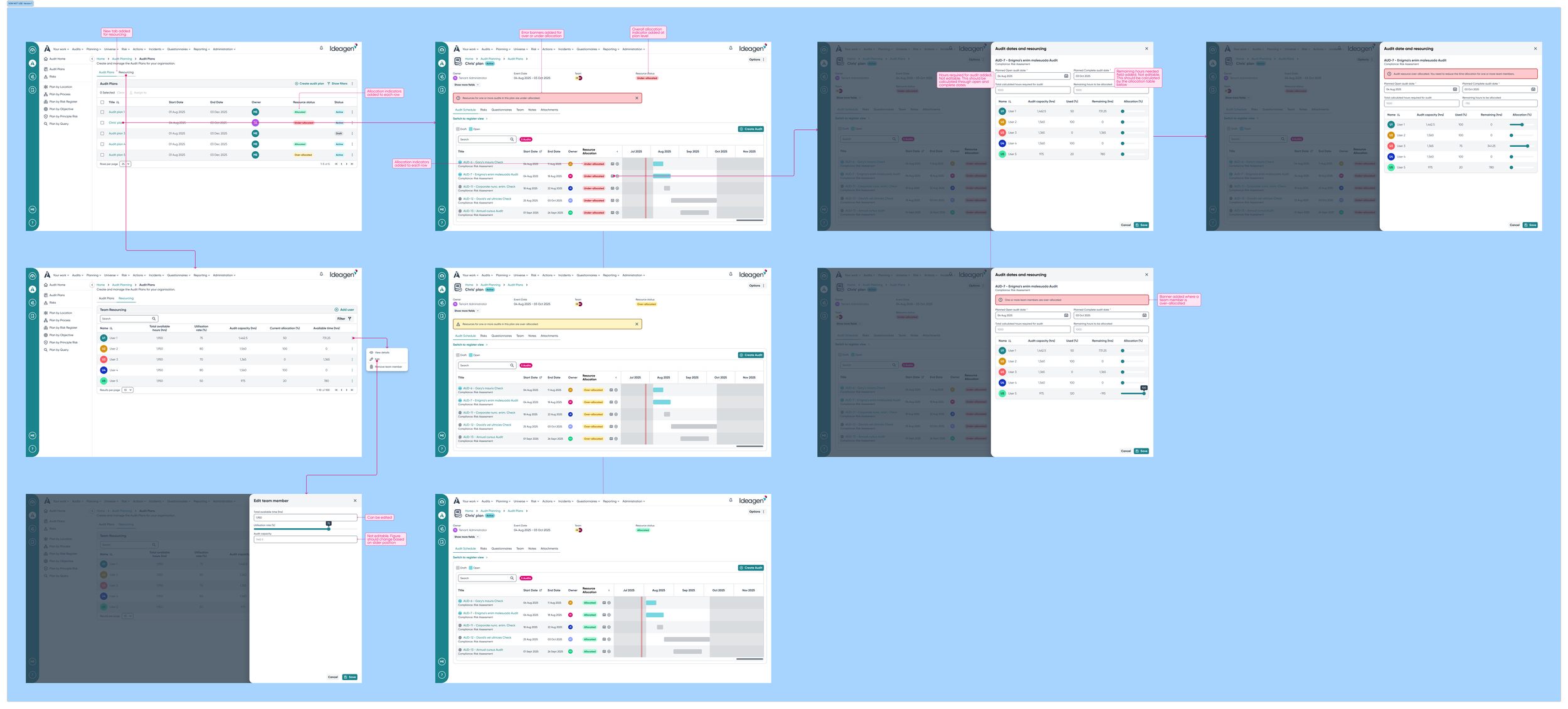
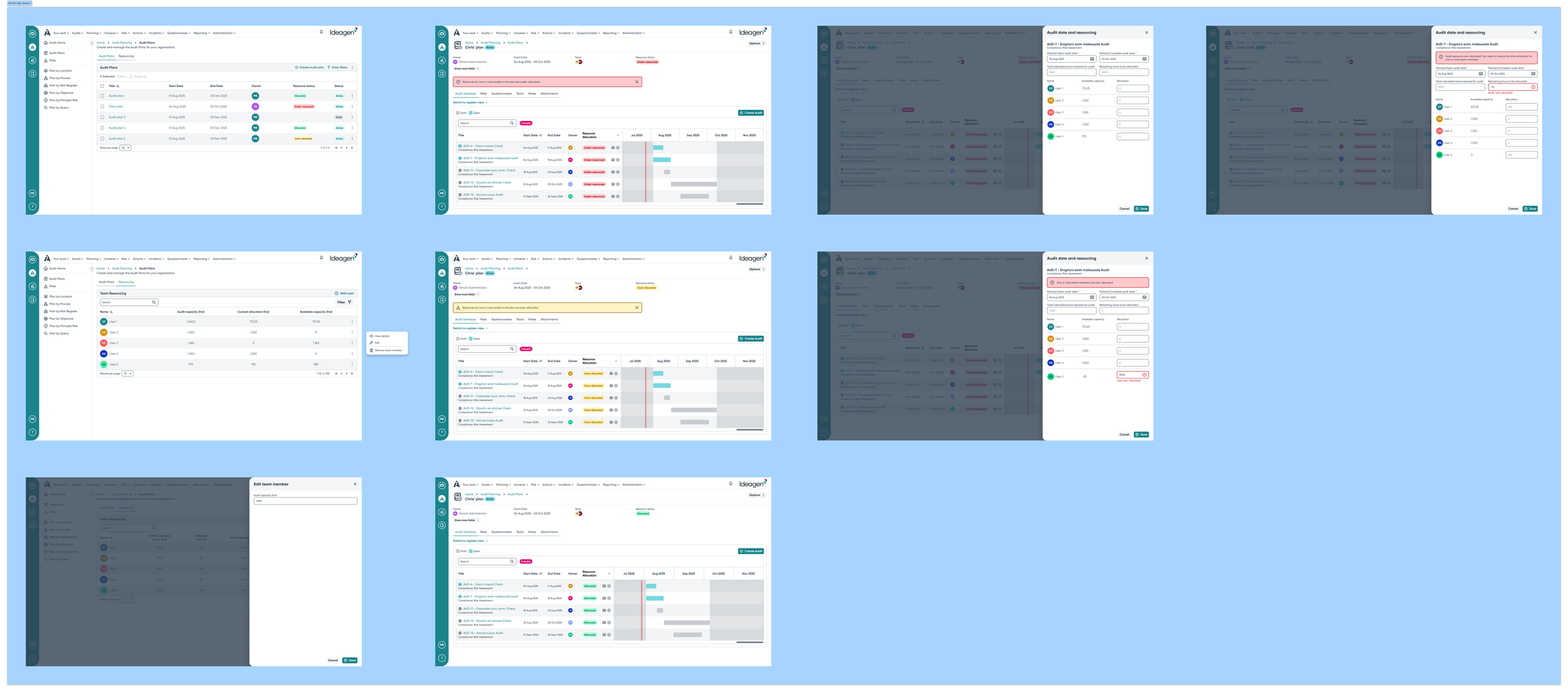
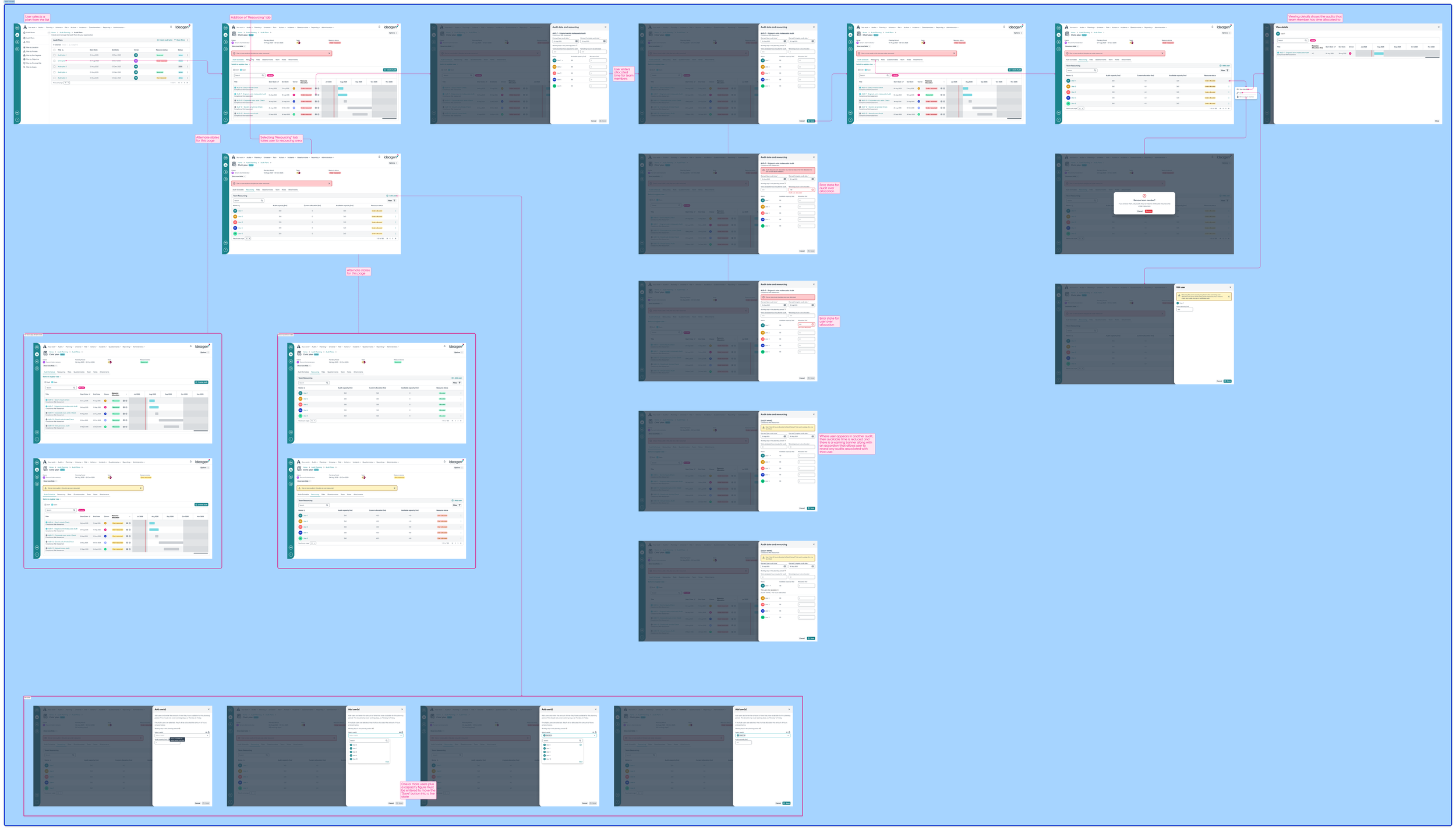
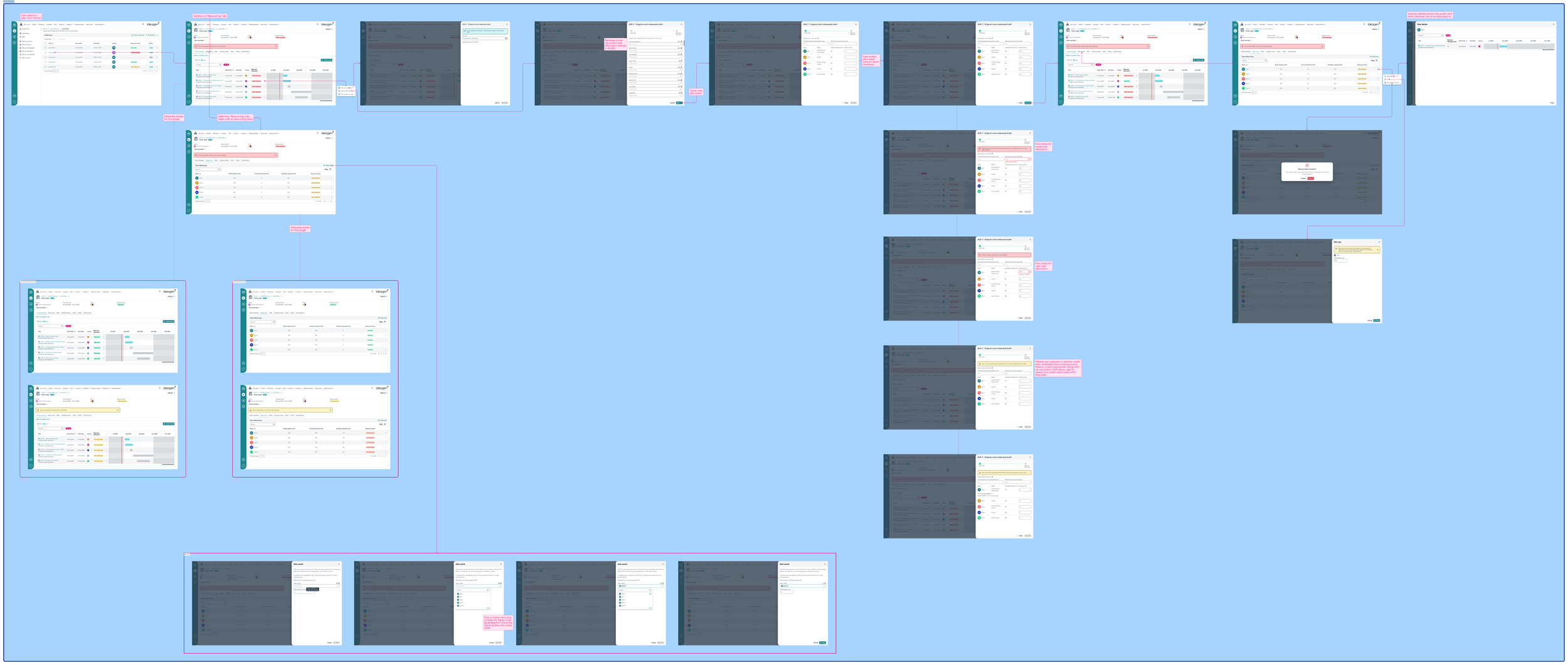
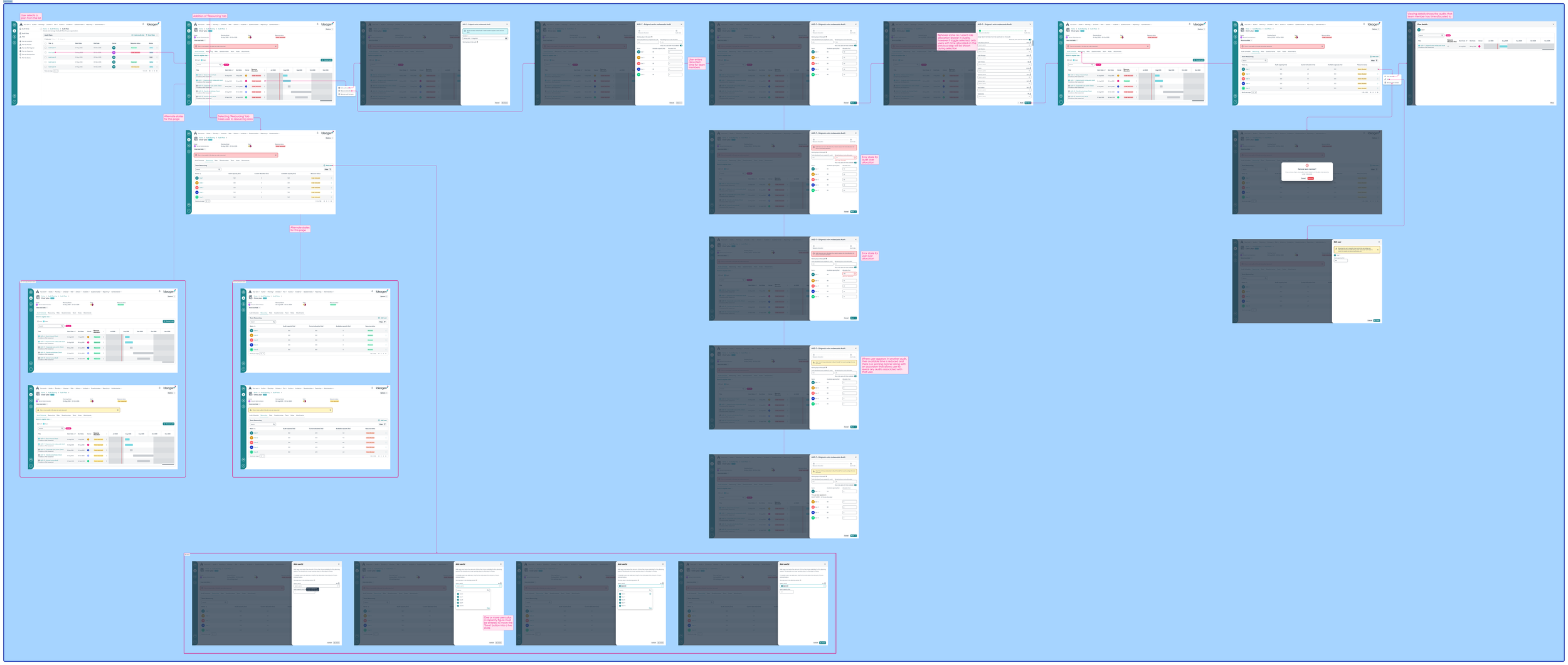
This is currently in development so it’s too early to know how user receive and use it. I include it here as a demonstration of iterative design over several versions in quick succession where close collaboration with stakeholders was paramount to allow me to drive the design forward quickly while bearing in mind user needs, business requirements, and technical constraints.
Result and impact
Version 1:
Provided a central location for team member management outside of the audit plans and audits
Allowed users to split team members’ time between audits using a % slider
Allowed the user to amend the total amount available time for each team member again using sliders
Allowed the user to amend team time allocation and the audit dates in one place
Error and alert messaging to show time conflicts and issues such as over allocation
Version 2:
Retained many aspects of version 1 with some tweaks
Percentage sliders removed and replaced with number entry fields. This was to:
improve accessibility as sliders can be tricky to operate
Users were concerned with actual hour figures so using percentages seemed like an over-complication. It added nothing.
Some data columns removed as they showed redundant information
Version 3:
Team member management moved within each specific plan. This was due to technical constraints where the user data table hung off the plan object in the back end.
Addition of more alternative states (unhappy path)
Ability to view and edit an individual team member’s time allocation within a specific audit.
Ability to view the audits an individual team member’s assigned to
Version 4:
Retains most of version 3’s functionality but now introduces a 2 step process when adding team members to audits in the plan.
Within an audit team members have different roles which need to be assigned.
This version allows team members to be added to the roles they’re needed in before having time allocated to them.
Removal of Audit Date fields within the time allocation panel. I decided this was an extra complication and wasn’t needed here.
Version 5 (Final):
Again, retains most functionality from version 4 but after discussions with the project team it was felt that flipping the 2 step time allocation process made more sense.
This allows the user to see any time conflicts or issue prior to putting team members into roles.